Increase E-commerce Sales: Priority Levers
To increase your e-commerce sales, it's smarter to improve your conversion rate first than to buy more traffic. With an average rate around 1 to 2.5% in France, going from 1% to 2% doubles revenue at constant traffic, without spending an extra euro on advertising. Three levers drive most of the result: qualified traffic, conversion and average order value. The fastest wins are cart abandonment (nearly 7 orders out of 10 lost), page load speed and trust signals. Without clean tracking in Google Analytics 4, you're optimizing blind.

Key takeaways
- The average e-commerce conversion rate sits around 1 to 2.5%: going from 1% to 2% doubles revenue at constant traffic.
- A load time above 3 seconds drives away a large share of mobile visitors before the page even appears.
- Around 70% of carts are abandoned before payment: surprise shipping costs and forced account creation are the top two causes.
- Recovering an abandoned cart by email lets you win back a meaningful share of lost sales, at near-zero cost.
- Measure before you act: without clean GA4 tracking of your conversion funnel, you optimize blind and waste your budget.
Contents
- Traffic, conversion, cart: where your growth really hides
- How can I increase traffic to my e-commerce site?
- Turning more visitors into buyers: the conversion rate
- Recovering lost sales: abandoned carts and hidden fees
- A fast site sells more: speed, mobile and buying experience
- Raising average order value: upsell, cross-sell and loyalty
- Measuring what pays: the essential sales dashboard
- Take back control of your online sales this quarter
- Frequently asked questions
Traffic, conversion, cart: where your growth really hides
Your online revenue follows a simple equation: traffic multiplied by conversion rate multiplied by average order value. Acting on the three delivers very uneven results depending on your starting point.
Take a concrete case. A store gets 10,000 visits a month, converts at 1% with an average order value of €60, meaning 100 orders and €6,000 monthly. To double that figure, three routes open up: double the traffic (20,000 visits), double the conversion (2%), or double the cart (€120). On paper, identical effect. In practice, absolutely not.
Why buying traffic isn't always the priority
Buying extra traffic is the most expensive and most fragile way to increase your e-commerce sales. Doubling visits through Google Ads means doubling your media budget, indefinitely. The day you cut the campaigns, traffic collapses. It's a rent, not an investment.
Moving your conversion from 1% to 2% doubles your sales once and for all, with no recurring cost. The average e-commerce conversion rate in France sits between 1.5% and 3% depending on the sector, with a top 20% above 3.2%. If you're at 1%, the room for improvement is huge and it only costs work, not media budget.
I never advise a store converting below 1% to open a Google Ads account. You'd be paying to bring people to a page that doesn't sell. It's like filling a leaky bucket: you patch the bucket first.
The simple calculation that reveals your most profitable lever
Your most profitable lever is the one where your gap to your sector's benchmark is largest. Look at your three figures and compare them to the averages.
If your conversion is at 0.8% while your sector runs at 2%, you're leaving more than half of your potential sales on the table. That's your opportunity. If instead you already convert at 3% but get 500 visits a month, your problem is traffic, not the page.
To prioritize your options, here's what a side-by-side reading of the four levers reveals. Average order value is the fastest to activate: low effort, near-zero cost, effect within days. Conversion follows closely, with a delay of a few weeks and a marginal cost. SEO requires sustained effort but generates lasting traffic with no recurring spend; you cultivate it in parallel, over the long term. Paid traffic reacts quickly but costs a lot every month and stays fragile: it comes last, only when the page really sells. The result: always start with the first two, build the third in the background, and only touch the fourth once the foundations are solid.
How can I increase traffic to my e-commerce site?
You increase e-commerce traffic by combining patient product SEO with targeted paid acquisition, in that order of priority for a small business. SEO costs time, ads cost money every month. For a tight-budget operation, the first one delivers a far better return over the medium term.
Product SEO and optimized listings: traffic you pay for only once
Organic search generates lasting traffic because a well-ranked product page keeps attracting visitors months after it's published. In France, organic search accounts for around 53% of web traffic and the top three results capture nearly half the clicks. That traffic costs you nothing per visit.
Concretely, each product page should answer a precise search intent: a clear title containing the word your customer types, a description that answers the real buying questions (material, size, compatibility, delivery time), lightweight images. Then check which pages Google actually indexes. A non-indexed page is invisible, like a product tucked away in a locked storeroom. The Search Console reveals in a few clicks which pages are blocked and why.
On PrestaShop, WooCommerce or Shopify, the technical structure is fine by default. The work happens on your page content, not on the plumbing. If you manage more than 200 to 300 SKUs and traffic stalls despite polished pages, an e-commerce SEO consultant may be worth it; below that, your Search Console data is often enough.
Social media and paid advertising: when it pays off
Paid advertising only becomes profitable when a customer's value clearly exceeds their acquisition cost and when your page already converts decently. Below that threshold, you're funding traffic that leaves without buying.
Plan a test budget of €1,500 to €3,000 over 60 to 90 days to verify whether a campaign is profitable, never less: below that, the data is too thin to decide. Organic social media (Instagram, TikTok, Pinterest depending on your product) mainly costs creative time and works well for visual or impulse products. Below €2,000 to €3,000 in monthly media budget, running Google Ads in-house is often more profitable than an agency.
What are the 7 pillars of online selling?
The 7 pillars of online selling are qualified traffic, a clear product page, trust signals, a short checkout, a fast site, abandoned cart recovery and data tracking. These seven points cover the entire journey, from the first visit to the confirmed order. They're worked in a logical order: first attract the right people, then convince them, then remove the technical friction, and finally recover what slips away and measure it all. A site that neglects a single pillar leaks at that exact spot.
Turning more visitors into buyers: the conversion rate
Improving your conversion rate is the most profitable lever to increase your e-commerce sales, because it raises revenue without spending on extra traffic.
Back to our store at 10,000 visits, 1% conversion, €60 cart. It makes €6,000 a month. By methodically moving from 1.1% to 2.0% over a 90-day horizon, without touching the ad budget, it reaches €12,000 monthly. Traffic hasn't budged. Only the page has changed. That's the kind of progress you regularly see on stores with a small catalog, when you fix the frictions in the right order.
What are the 3 most effective online selling techniques?
The three most effective online selling techniques are social proof, reducing buying effort and honest urgency. Social proof reassures through reviews, ratings, the number of customers. Reducing effort removes obstacles: fewer fields, fast checkout, optional account creation. Honest urgency prompts a decision now, with a real stock count shown or a promotion with a genuine deadline. Careful: fake urgency destroys trust the moment the customer spots it. These three levers act on buying emotions without manipulation, as long as you stay factual.
Trust signals, customer reviews and social proof
Trust signals turn a hesitant visitor into a buyer by answering their fears before they voice them. A shopper who doesn't know you silently asks three questions: will I get delivered, can I return it, is my card data protected.
Show these answers where the doubt arises: delivery time on the product page, visible return policy, secure payment logos at the cart stage. Customer reviews carry real weight. A rated and reviewed product reassures more than a long marketing description; embed them directly under the listing, with the average rating visible at the top. For a young store, even a dozen genuine reviews make a difference.
Make checkout obvious in under 3 clicks
A short checkout, ideally completed in under three clicks after the cart, drastically reduces abandonment. Every extra step, every unnecessary field, drives away a share of buyers.
Remove forced account creation, offer guest checkout. Cut the form down to the essentials. Show the total amount, shipping included, right from the cart, never at the last step. This work of removing friction is part of conversion rate optimization, which starts by locating the funnel's leaks. Test your own checkout on mobile, in real conditions: buy one of your products. You'll quickly see what's stuck.
Recovering lost sales: abandoned carts and hidden fees
Around 7 carts out of 10 are abandoned before payment, making it the most profitable and fastest sales opportunity to activate for an online store. According to the Baymard Institute, the average cart abandonment rate reaches 70.19%, with variations from 64% to more than 80% depending on the sector and device.

Out of 100 people who add a product to the cart, 70 leave without buying. Recovering even a fifth of them boosts your sales dramatically, at near-zero cost.
Why 7 carts out of 10 are abandoned
Visitors abandon their cart first because of surprise shipping costs and forced account creation, two avoidable frictions. The Baymard Institute ranks unexpected extra fees as the leading cause of abandonment, well ahead of the others.
The next causes are known and fixable: checkout too long, missing preferred payment method, doubts about security. Many of these abandonments aren't purchase refusals, except that something stopped the person along the way. The cart abandonment rate broken down by sector and device helps you place your store against its category.
Email recovery and installment payment: what works
An abandoned cart email sequence recovers a meaningful share of lost sales, at almost no cost. The mechanic is simple: the customer left their address, you remind them of their cart.
An effective sequence is three messages. The first, one hour after the abandonment, simply reminds them of the cart. The second, at 24 hours, addresses an objection (delivery, free returns). The third, at 72 hours, may offer a small incentive. Most CMS platforms and email tools include this recovery natively on Shopify, WooCommerce or PrestaShop.
Among the available recovery levers, their hierarchy is worth spelling out rather than summarizing in a table. The three-message email sequence is by far the most powerful: low setup cost, high effect on sales, activation within hours. Showing shipping costs from the cart (rather than the last step) comes right behind, for equally low effort and comparable impact. Guest checkout removes a significant barrier without touching your margin; the effort is minimal, the effect moderate but immediate. Installment payment takes a bit more configuration and suits high-value carts most, which is why it ranks last. Activate in this order, not all at once: you'll know what produced what.
A fast site sells more: speed, mobile and buying experience
A site that loads in under 2.5 seconds sells more than a slow one, because a large share of mobile visitors leave before the page even appears. Speed isn't a technical detail; it's a direct sales lever.

Google measures perceived performance through three indicators, the Core Web Vitals: how fast the main area loads (LCP), click responsiveness (INP, the delay between your click and the page reacting) and visual stability (CLS, when the page doesn't shift under your fingers). Google's official Core Web Vitals documentation details the recommended thresholds.
The load thresholds you shouldn't cross
The critical threshold is 2.5 seconds for the main area to display on mobile: beyond that, the experience degrades and abandonments climb. These thresholds are measurable for free with Lighthouse, the tool built into the Chrome browser.
≤ 2.5 s
LCP
Main area display
≤ 200 ms
INP
Click responsiveness
≤ 0.1
CLS
Visual stability of the page
Run a Lighthouse test on your homepage and on a product page, in mobile mode. The report gives you a score and, above all, the list of priority fixes. The most common one on stores: images that are too heavy. Compressing them is often enough to gain a full second.
Optimize mobile display without touching the code
Most mobile performance gains come without a developer, by compressing images and cutting unnecessary scripts. The majority of e-commerce traffic today is mobile: a store that's slow on the phone loses its sales exactly where its audience is.
Three actions within reach of any owner: compress all product images (modern formats, reduced weight), remove non-essential scripts and apps installed on the CMS, and check that buttons are big enough for the thumb. This last point is part of UX analysis, which measures how visitors actually behave on the site. On France Num, the French public body supporting small business digitalization, you'll find practical guides on the mobile buying experience.
Raising average order value: upsell, cross-sell and loyalty
Raising average order value boosts revenue without bringing in a single extra visitor, which makes it the fastest lever to activate. Every euro added to the average order value multiplies by your number of orders.
Two mechanics dominate. Upsell offers a higher version of the product being viewed (larger format, premium range). Cross-sell suggests a complementary product (batteries with the flashlight, a case with the phone). Well placed, at the cart stage, these suggestions naturally add a few euros to each order without annoying the customer.
What sells best in e-commerce?
The products that sell best online are those with strong recurring demand, low perceived risk and a cart high enough to absorb shipping. Everyday consumables, complementary accessories and regularly repurchased products do well. For your store, what matters isn't selling what sells best elsewhere, but identifying your own hero products: the ones that draw people in, then grafting complementary sales onto them. If I could only look at one GA4 report for this diagnostic, it would be current best-sellers: they're your best anchor points for cross-sell.
Free shipping above a threshold: the winning math
Free shipping above a threshold pushes the customer to add a product to reach it, raising average order value while preserving your margin. The math is mechanical.
Set the threshold slightly above your current average order value. If your customers spend an average of €45, offer free shipping from €60: many will add an item to cross the line. You preserve your margin on small carts and gain volume on the rest. Show a progress bar ("just €12 more for free shipping"), that simple visual reminder triggers the add. It's one of the least expensive optimizations to set up, for an immediate effect on the average order amount.
Measuring what pays: the essential sales dashboard
Without clean tracking of your conversion funnel in Google Analytics 4, you optimize blind and waste time and budget. Measuring before acting isn't an option, it's the starting point.
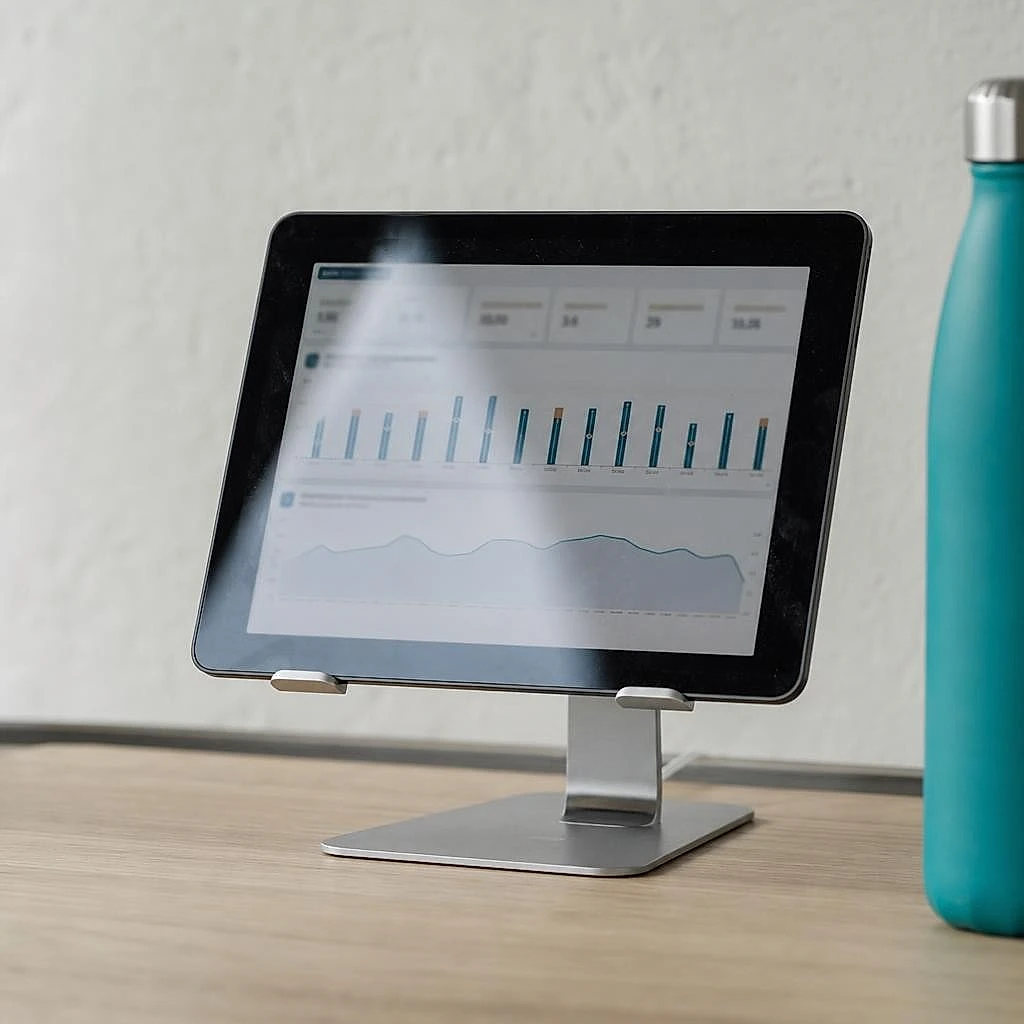
The most common problem I run into: a badly configured GA4 that inflates or leaks the data. A duplicated tag counts twice, an unfiltered internal IP makes your own visits look like customer traffic, a mislabeled purchase event and your sales appear nowhere. These common GA4 mistakes in small businesses each fix in under an hour, but as long as they persist, your decisions rest on sand.
The 5 metrics to track every week
Five metrics are enough to steer a store's sales: traffic, conversion rate, average order value, cart abandonment rate and traffic sources. Tracking more figures dilutes attention without improving decisions.
GA4
Qualified traffic
Volume of relevant visitors
GA4
Conversion rate
Page effectiveness
GA4
Average order value
Value per order
GA4
Cart abandonment rate
Checkout friction
GA4 / Search Console
Traffic sources
Profitable channels
These five website traffic statistics to track first are read together, never in isolation. Traffic rising while conversion falls signals poorly targeted traffic, not a win.
Spotting where your visitors drop off in the funnel
The conversion funnel report in GA4 shows exactly at which step your visitors abandon: product page, cart or payment. That visibility changes everything.
Set up purchase event tracking in GA4, through your CMS or Google Tag Manager, then build a funnel exploration. You'll see the percentage of visitors moving from the listing to the cart, then from the cart to payment. The tallest step is your absolute priority. This cross-check between funnel steps is steered by hand each week, or continuously if you centralize the tracking of your sales metrics. An owner who knows where the drop-off happens fixes the right thing, not at random.
Take back control of your online sales this quarter
At this stage, you have the map: your growth hides in conversion and average order value long before the ad budget. The real barrier isn't knowing what to do, it's finding the time to measure, prioritize and track the effect of each action. Cross-referencing Search Console, GA4 and Lighthouse every week takes half a day when you do it by hand. That's exactly the time Lysible makes disappear, by gathering your traffic, conversion and speed data in one place. You decide on numbers, not impressions. Start with a single lever this quarter: the one where your gap to the benchmark is largest.
Frequently asked questions
How can I increase traffic to my e-commerce site?
Combine product SEO and paid acquisition, in that order for a small business. Organic search generates lasting traffic you pay for only once: optimize each product page around a precise search intent, with a clear title and a description that answers the real buying questions. Organic search accounts for around 53% of web traffic in France. In parallel, paid advertising brings fast but expensive traffic: reserve it for stores that already convert decently, with a test budget of €1,500 to €3,000 over 60 to 90 days to verify its profitability.
What's a good conversion rate for an e-commerce site?
A good e-commerce conversion rate in France sits between 1.5% and 3% depending on the sector, with the top 20% of stores exceeding 3.2%. If you're below 1%, your absolute priority is conversion, not traffic: the room for improvement is huge and it only costs work. Going from 1% to 2% doubles your revenue at constant traffic, with no ad spend. Always compare your rate to your sector's average: the gap to the benchmark reveals your most profitable lever.
Why do visitors abandon their cart?
Visitors mainly abandon because of surprise shipping costs and forced account creation. According to the Baymard Institute, the average abandonment rate reaches 70.19%, and unexpected extra fees are the leading cause. Next come checkout too long, missing preferred payment method and doubts about security. Most of these abandonments aren't purchase refusals but friction refusals: the person wanted to buy, something stopped them. Show the total amount including fees from the cart and offer guest checkout to remove the top two barriers.
How do I increase the average order value of my online store?
Three mechanics deliver fast results. Upsell offers a higher version of the product being viewed. Cross-sell suggests a complementary product at the cart stage. Free shipping above a threshold, set slightly above your current average order value, pushes the customer to add an item to reach it. Show a progress bar like "just €12 more for free shipping": that visual reminder triggers the add. These levers boost revenue without bringing in a single extra visitor, which makes them the fastest to activate.
What are the 3 most effective online selling techniques?
Social proof, reducing buying effort and honest urgency. Social proof reassures through reviews, ratings and the number of customers: even a dozen genuine reviews make a difference for a young store. Reducing effort removes obstacles: fewer fields, fast checkout, optional account. Honest urgency prompts a decision with a real stock count shown or a promotion with a genuine deadline. Careful, fake urgency destroys trust the moment the customer spots it: always stay factual.
How long does it take to see a rise in online sales?
It depends on the lever you activate. Average order value and abandoned cart recovery deliver results within days to a few weeks. Conversion rate optimization produces visible effects over a 60 to 90-day horizon, the time needed to gather enough data to validate the changes. SEO is the slowest: expect several months before a well-optimized page climbs in the results. That's why I advise starting with the fast, zero-cost levers, then cultivating SEO in parallel over the long term.
What are the 7 pillars of online selling?
Qualified traffic, a clear product page, trust signals, a short checkout, a fast site, abandoned cart recovery and data tracking. These seven points cover the whole journey, from the first visit to the confirmed order. They're worked in a logical order: attract the right people, convince them, remove the technical friction, recover what slips away, then measure it all. A site that neglects a single pillar leaks at that exact spot, and no ad budget fills a structural leak.
Do you need a paid tool to track your online sales?
No, not at the start. Google Analytics 4 and the Search Console are free and enough to track your five essential metrics: traffic, conversion, average order value, abandonment and sources. The condition is a clean setup: a badly configured GA4, with a duplicated tag or an unfiltered internal IP, skews your decisions. A centralization tool becomes useful when cross-referencing several sources every week costs you too much time, or when you want to track traffic, conversion and speed in one place without manual work. The real cost isn't the data, it's the time to gather it.

Isaac SIKORSKI
With Lysible, I want to give businesses back control of their online presence. A website you actually understand is one that brings in real opportunities.