
Performance Max Google Ads: measure and decide
Performance Max automates a single campaign across Google's entire inventory (Search, Shopping, Display, YouTube, Gmail, Discover, Maps). Targeting and bidding are driven by the algorithm. It becomes profitable for a small business with a solid conversion history, around 30 conversions over 30 days according to practitioners. Below that, manual Search stays clearer and easier to control. Native reporting remains opaque. Cross-referencing the data with GA4 (cost, key events, conversion value, ROAS by source) becomes essential to steer for real.

In brief
17 min read Level: intermediate Tools: Google Ads, GA4, Google Merchant Center, Google Search Console
- Performance Max runs a single campaign across Search, Shopping, Display, YouTube, Gmail, Discover and Maps, with targeting and bidding driven by Google's automation.
- Native reporting stays opaque: cross-referencing the data with GA4 (cost, key events, conversion value, ROAS by source/medium) is essential to steer for real.
- According to practitioners, a small business needs roughly 30 conversions over 30 days for the PMax algorithm to learn properly; below that, manual Search often stays clearer.
- The "Insights" and "Channel performance" reports partially pull you out of the black box on search terms and the breakdown by format.
- Setting a realistic target CPA or target ROAS at launch, without making it too restrictive, steers bidding toward profitability; it's the daily budget that caps spend.
Contents
- How does a Performance Max campaign work?
- The signals and data the algorithm needs to perform
- How to analyze a Performance Max campaign's results
- Out of the black box: getting around PMax reporting opacity
- Performance Max vs Search: which strategy to choose?
- How much does Performance Max cost and when does it become profitable for a small business?
- Best practices to build and optimize your campaign
- Switch on Performance Max or wait: your decision in 3 criteria
- Frequently asked questions
You run your Google Ads campaigns yourself. The same question keeps coming up: should you switch to Performance Max, the format Google pushes everywhere? The real question isn't "does it work." It's "how do I keep a grip on a campaign steered by the algorithm alone." This guide gives you the metrics to track in GA4, the method to read opaque reporting, and a numbers-based framework to decide.
How does a Performance Max campaign work?
Performance Max bundles serving across all Google networks into a single campaign. Before, you had to create a Search campaign, a Shopping campaign and a YouTube campaign separately. You supply creative assets and a goal, the algorithm decides the rest: where to show, to whom, how much to bid.
- Your inputs Creative assets, goal and audience signals you provide. you provide
- Asset group Headlines, descriptions, images, logos, videos that Google combines. Google assembles
- Algorithm decision It analyzes intent, profile and timing, then adjusts the bids. it allocates
- Google's full inventory Search, Shopping, Display, YouTube, Gmail, Discover and Maps. it displays
- Ad served The most relevant combination on the most promising channel.
The principle rests on automation. You no longer pick keywords one by one, or placements. Google analyzes search intent, the user's profile and the moment. Then it serves the most relevant ad on the most promising channel. For an owner running campaigns alone, that means fewer manual settings, but also fewer direct levers. First consequence: you steer through the algorithm's inputs, not its settings.
On which channels does Google serve your ads?
Performance Max serves across Google's entire inventory: Google Search (including Shopping), YouTube, Gmail, Discover and Google Maps, but also the Display Network and Search Network partners. The official Google Ads help on Performance Max campaigns explains that the algorithm splits the budget across these channels based on what converts best. You don't set the split channel by channel: only some inventories, like the Display Network and Search Network partners, can get their own priority level.
In practice, an e-commerce seller with a product feed sees a large share of its budget go to Shopping and Search. These are the highest purchase-intent channels. A B2B service with no catalog, on the other hand, often ends up with a heavier Display and YouTube share, sometimes of lower quality. It's one of the first things to watch at launch: the actual split, not the one you imagine.
What role does automation play in targeting and bidding?
Automation steers two things: who sees the ad (targeting) and how much to pay per click or conversion (smart bidding). You set a strategy, "maximize conversions" or "maximize conversion value," and the algorithm adjusts in real time.
Smart bidding draws on hundreds of signals: device, time, browsing history, exact query. It's powerful, but it works like a recipe. If the starting ingredients are poor, so is the dish. A budget that's too low or shaky conversion tracking, and the algorithm learns on false data. So check your inputs before switching on automated bidding.
What is an asset group and how does Google assemble it?
An asset group pulls together your creative elements: headlines, descriptions, images, logos, videos, and possibly an audience signal. Google tests combinations of these elements and shows the one that performs best for the format and the channel.
In concrete terms, you don't build a finished ad. You deliver building blocks, Google assembles. The more numerous and varied your blocks (several headlines, several visuals, a vertical video), the more room the algorithm has to optimize. A starved asset group is a hand tied behind the algorithm's back. Keep in mind: every missing block cuts the ability to optimize.
The signals and data the algorithm needs to perform
For a small business, the quality of the conversion data you feed in decides the outcome far more than the creative. Google's docs sell the "fully automatic" story. Except automation without fuel runs on empty. That fuel is your conversion history and your audience signals.
The algorithm needs examples to learn. Each measured conversion tells it "this is what a good customer looks like." Without those examples, it fumbles, spends, and takes weeks to converge, sometimes never. Launching Performance Max on a brand-new account with no clean tracking means paying top price for the learning, for a blurry result.
Why conversion history changes everything
Conversion history lets the algorithm recognize the profiles that buy, from day one. An account with hundreds of past conversions starts with a huge head start over a blank account.
The threshold commonly accepted by practitioners sits around 30 conversions over the last 30 days. Google, for its part, explains that the length of learning depends mostly on your conversion volume and the length of your conversion cycle (Google Ads help on the learning period). Under 30 conversions a month, signals are too scarce and the algorithm overreacts to the slightest event. If your account caps out at 10 sales a month, Performance Max will spend most of its time learning rather than selling.
30 conversions
That's the benchmark monthly volume for a Google automated bidding strategy to learn properly. Below that threshold over a rolling 30 days, the algorithm lacks signals and becomes unstable.
Estimate: threshold commonly cited by practitioners
Which audience signals should you provide at launch?
Audience signals are hints given to Google to guide its search for customers: your existing customer lists, your site visitors, audiences based on keywords or competitor sites. They aren't strict targeting, but starting points.
Importing your customer list via Google Ads clearly speeds up the learning phase. The algorithm starts from real buyers and looks for similar profiles. Before any of that, reliable conversion tracking starts with a clean tagging plan. The logic of Google Tag Manager explained for an owner avoids the mistakes that distort the rest. Importing your customer data must rest on a legal basis compliant with GDPR, most often your customers' consent.
How to analyze a Performance Max campaign's results
Performance Max's native reporting isn't enough. You have to cross-reference the data with GA4 to get cost, key events, conversion value and ROAS by source. Without that cross-check, you're steering blind a campaign already controlled by the algorithm.
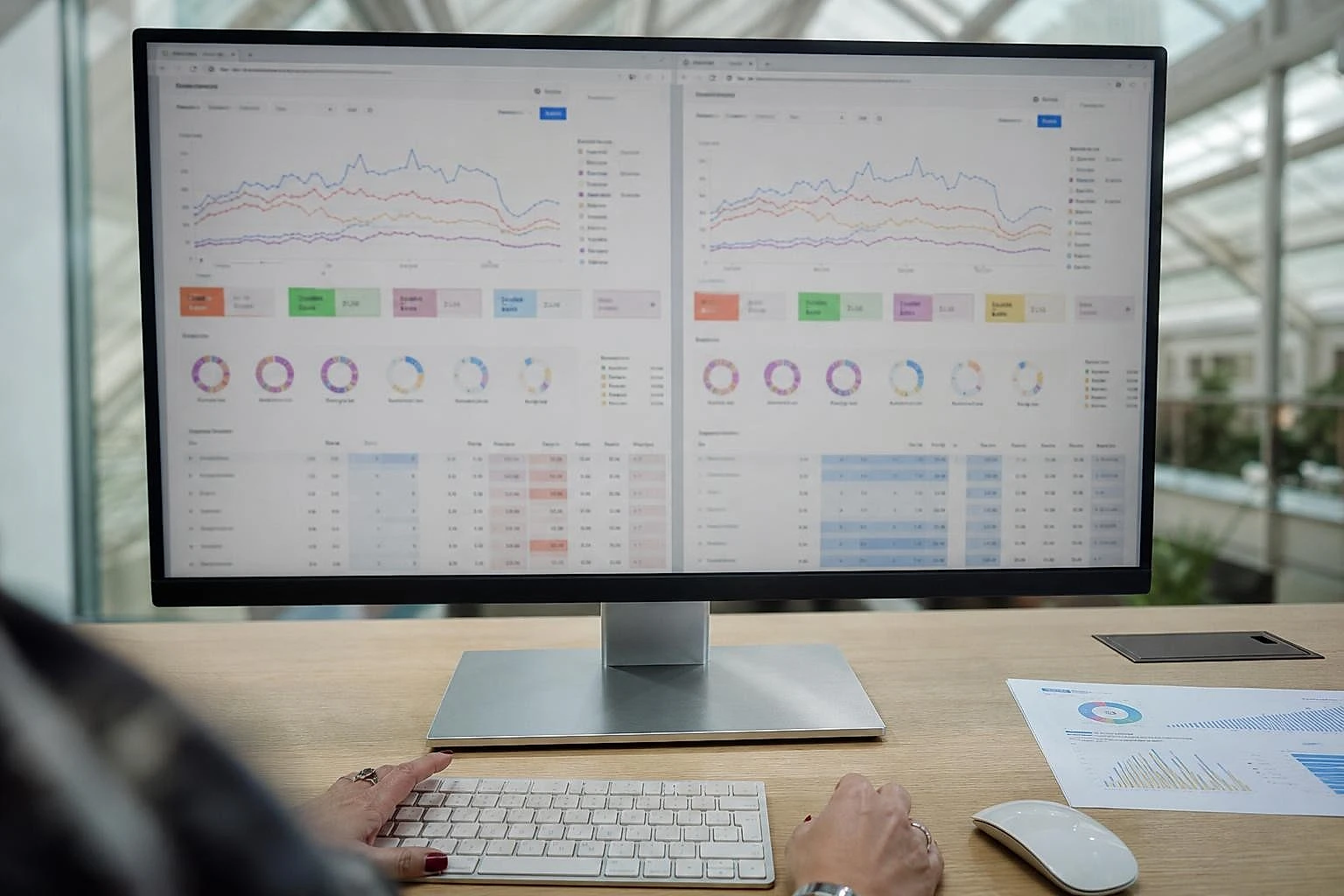
Google Ads gives you an overall conversion and value figure. Except it sometimes attributes conversions generously, and it mixes channels. GA4 lets you break things down by dimension: where the traffic really comes from, what it does on your site, how much it brings in. This cross-reading turns a reassuring figure into a useful decision.
Which KPIs should you track in GA4 beyond native reporting?
In GA4, track four metrics by source/medium: the key event rate, conversion value, ROAS and the new-customer share. GA4 now calls "key events" what it used to call "conversions." The Google Analytics help on linking Google Ads to Google Analytics details how to connect the two accounts. You then see the Ads data directly in your acquisition reports.
The most useful habit: compare the ROAS reported by Google Ads with the real revenue in GA4. A gap is common, because the two tools don't count conversions the same way: attribution model, conversion window, date used. This difference weighs heavily on budget decisions, as shown by the key figures on B2B marketing attribution.
GA4 metrics to track and alert thresholds
One threshold per metric, to adjust to your business
< 1% on paid traffic
Key event rate by source
What it measures: Efficiency of PMax traffic
Gap > 30% vs Google Ads
Conversion value
What it measures: Revenue generated, not just volume
< your break-even threshold
ROAS by source/medium
What it measures: Real return per euro spent
> 70% known customers
New vs known
What it measures: Real acquisition share
How to read the "Channel performance" report and the Insights?
The "Channel performance" report (Campaigns menu, then Insights and reports) shows cost, conversions and conversion value by channel: Google Search, Search Network partners, Display, YouTube, Discover, Gmail and Maps, as detailed in the Google Ads help on this report. Shopping ads are isolated there with the "Ads using product data" segment (the table's Segment button). It's the most direct tool to see where your budget goes.
The "Insights" round this out with search trends, the audiences that convert and emerging themes. These reports aren't exhaustive, but they partially break the opacity.
How to isolate the truly incremental share of PMax?
The incremental share is the revenue Performance Max generates on top, not the revenue it would have brought you anyway through branded traffic. To isolate it, exclude brand terms and compare the change before/after activation.
A classic trap: Performance Max captures your brand searches (people typing your name) and claims those easy conversions. The ROAS looks excellent, but you're paying for traffic you would have had for free. Neutralizing this effect is the first thing to do to judge real performance.
And what about your own site?
The analysis measures speed, technical SEO and Core Web Vitals, then gives you 3 concrete recommendations. Free, no account needed.
Out of the black box: getting around PMax reporting opacity
Performance Max has historically hidden the per-channel detail, the exact search terms and the precise placements. Getting around it takes a method, not resignation. The opacity is real, but several techniques recover a good part of the missing information.
Google has made progress with the "Channel performance" report and more visible search terms. Blind spots remain. Filling them makes the difference between enduring the campaign and actually steering it.
What data doesn't Google show you?
Google doesn't show the full detail of Display placements or the fine breakdown of bids by channel. Search terms, though, have become visible: since 2025, the search terms report is open to all Performance Max campaigns, though, as in a Search campaign, queries that are too rare don't appear.
This blur protects the algorithm, but it deprives you of key information. Are your ads showing on low-quality mobile apps? With no answer, you keep renewing wasted spend month after month.
How to recover search terms and exclude junk traffic?
Combine three levers: the campaign's search terms report, brand exclusions, and GA4 tracking by landing page. Together, they rebuild a usable picture.
- Turn on brand exclusions In the campaign settings (Additional settings, then Brand exclusions), apply a list that contains your brand, so you don't pay for traffic that was already yours.
- Use the search terms report In the campaign's search terms report, spot the queries with no purchase intent, then add them as negative keywords at the campaign level.
- Cross-reference with GA4 landing pages Look at which pages receive PMax traffic and their conversion rate: a page at 0% betrays targeting gone wrong.
- Monitor the Display and video share If more than a third of the budget goes to Display with no conversion, that's the signal of an asset group to rework.
This cross-check between Google Ads and GA4 is redone by hand each month in a good half hour. Or continuously if you automate the monitoring of your site and your Google data. To analyze in parallel what your competitors are serving, exploring the Google Ads Library rounds out this reading.
Performance Max vs Search: which strategy to choose?
For a small business, manual Search stays more profitable and clearer as long as the account hasn't built up enough conversion history. Performance Max shines when you have volume, a rich catalog and clean measurement. Before that, it scatters your budget.
The consensus pushes toward Performance Max as a universal format. In reality, for a small operation just starting out, a Search campaign targeting a few dozen high-intent keywords gives full control: every query, every cost, every conversion. That clarity is worth gold when every euro counts.
Performance Max or manual Search: the comparison
| Criterion | Performance Max | Manual Search |
|---|---|---|
| Recommended history | ~30 conversions/month (practitioner benchmark) | Works without history |
| Query control | Partial | Full |
| Reporting transparency | Limited | Complete |
| Management effort | Low | Medium |
| Ideal for | Rich catalog, volume | Getting started, tight budget |
When does manual Search stay more profitable?
Manual Search stays more profitable when your budget is tight, your conversion volume low, or your offer focused on a few precise queries. In those cases, fine control beats automation.
A local tradesperson targeting "plumber" plus their city has no interest in scattering their budget across YouTube or Discover. A few exact keywords, a controlled budget, clear tracking: more effective and easier to adjust. The logic matches that of data-driven local SEO, where precision beats reach.
Should you run both in parallel?
Yes, as soon as your account has volume: Search captures explicit demand, Performance Max extends reach across the rest of the inventory. But protect your Search with brand exclusions in PMax, otherwise the two campaigns cannibalize each other.
Running both together takes discipline. Brand keywords in exact match in Search (Google ranks them ahead of Performance Max), brand exclusions in PMax, separate budgets: without these safeguards, Performance Max absorbs Search traffic and muddies your reading.
How much does Performance Max cost and when does it become profitable for a small business?
Performance Max becomes profitable for a small business when the account passes roughly 30 conversions a month, the threshold used by practitioners, and the budget holds without interruption through the six weeks Google recommends before judging. Below that, the learning cost often exceeds the gain.
There's no single budget: the threshold depends on your cost per conversion. If a sale costs you €20, reaching 30 conversions already takes €600 a month, and Google's recommendation (three times the CPA per day) pushes that budget to around €1,800 a month. If a sale costs €80, the bar rises fast. It's this calculation, not a theoretical amount, that determines your entry point.
Take a fictional example, built for illustration. An online home decor store starts with a budget of €900 a month and a target cost per sale of €25, barely more than one CPA a day, far from the three Google advises. For three weeks, the reported ROAS swings between 1.8 and 2.5, while the algorithm climbs out of learning. After six weeks, the campaign stabilizes around a ROAS of 3.4, just above its break-even threshold set at 3.3. The owner held firm without cutting the budget, and that's what made the difference.
What minimum budget for a viable learning phase?
Aim for a daily budget of at least three times your target cost per conversion: that's what Google recommends. Below that, the campaign runs, but the algorithm gets fewer signals and takes longer to stabilize.
If your target CPA is €25, count on €75 a day, or roughly €2,250 for the month. The Google Ads API documentation on the Performance Max budget warns that a budget too low relative to the CPA can slow optimization. At €25 a day, a single CPA, the campaign can still aim for 30 conversions a month, but it risks learning more slowly. Cutting the budget after five days because "it's not working" is the most common mistake: the algorithm hasn't finished learning.
2 to 3 weeks
Typical length of the learning phase before a Performance Max campaign's performance stabilizes. Cutting or changing the budget during this window restarts the learning and wastes the budget already invested.
Estimate: length commonly observed by practitioners
What ROAS ranges should you aim for by sector?
The target ROAS depends on your margin, not a universal standard. First calculate your break-even point: an e-commerce business at 30% margin needs a ROAS above 3.3 to make money on ads.
The observed ranges vary widely by sector. In fashion, where margins are often high but returns frequent, practitioners commonly aim for a ROAS of 4 to 6. In electronics, where the margin is thinner, break-even often requires a ROAS of 8 to 12. For a service or a non-stock offering, the logic changes: you think in cost per lead rather than strict ROAS, with a profitability target tied to customer lifetime value. Acquisition cost swings widely across channels, as detailed in the benchmark on customer acquisition cost by channel. Set your target from your margin, then adjust the "target ROAS" bid in Google Ads.
Profitability benchmarks for Performance Max
| Profitability indicator | Reference value | Source |
|---|---|---|
| Break-even ROAS at 30% margin | 3.3 | Margin calculation (1 ÷ 0.30) |
| ROAS range in fashion | 4 to 6 | Practitioner observation |
| ROAS range in electronics | 8 to 12 | Practitioner observation |
| Minimum monthly conversions | 30 | Practitioner observation |
| Learning duration | 14 to 21 days | Practitioner observation |
Best practices to build and optimize your campaign
A Performance Max campaign performs when the asset group is rich, conversion tracking reliable and the numeric goal set before launch. These three conditions together are worth more than any advanced setting.

Most failures don't come from the algorithm, but from what you feed it at the start. An incomplete product feed in Google Merchant Center, poor headlines, no audience signal: automation doesn't make up for these gaps, it amplifies them.
How should you structure your asset groups?
Create one asset group per coherent theme of products or services, not a single catch-all. Each group should target a homogeneous audience and intent, so the algorithm optimizes without scattering.
Split product categories right from creation, even if it seems heavier to manage. A fashion e-commerce seller gains from separating "men's shoes" and "women's accessories" into two distinct groups, each with its own visuals and messages. Provide the maximum of elements: several headlines, several descriptions, images in the right format, and at least one vertical video. Otherwise Google generates an automatic version that's often mediocre.
Which mistakes avoid wasted spend at launch?
Three mistakes drain the budget: launching without reliable conversion tracking, cutting too early during learning, and forgetting brand exclusions. Avoiding them protects your investment from day one.
- Check conversion tracking above all Without conversions measured correctly, the algorithm optimizes on nothing and spends without direction.
- Set a target ROAS or tCPA at launch A realistic numeric goal, without being too restrictive, steers bidding toward profitability from the learning phase.
- Exclude brand terms Apply a brand list as an exclusion in the campaign settings, so you don't pay for traffic you were already capturing for free.
- Feed a complete product feed In Google Merchant Center, incomplete listings limit Shopping serving, the most profitable channel for an e-commerce business.
Then let the campaign run at least six weeks before judging the results, as recommended by Google's optimization tips for Performance Max; according to practitioners, the learning phase itself often lasts two to three weeks. During these first six weeks, Google advises against frequently changing the budget, the bidding strategy or the campaign status, which runs counter to the micro-management reflex. For multi-account campaigns, changing settings in bulk is faster with Google Ads Editor and its step-by-step guide.
Switch on Performance Max or wait: your decision in 3 criteria
At this point, you have the framework to decide without guessing. The decision comes down to three questions, in this order. Does your account convert at least 30 times a month? Does your budget hold six weeks without interruption, the window Google recommends before judging? Can you measure real ROAS in GA4, not just in Google Ads?
Three yeses, launch. A single no, strengthen your Search and your conversion tracking first. The value of Performance Max doesn't come from switching it on, but from the measurement that follows. Cross-referencing your Google data each month, spotting budget drifts, deciding the next action: all of that takes time. Lysible reads this data (Analytics, Search Console, Ads) and your pages at the same time, then tells you what to fix, in how long and for what gain. Count on €89 to €129 excl. tax per month, with a 30-day trial to judge on your own figures.
Sources cited
Frequently asked questions
What is Performance Max in one sentence?
Performance Max is a Google Ads campaign type that serves your ads across all Google networks from a single goal. The channels covered: Search (including Shopping), Display, YouTube, Gmail, Discover and Maps. You supply creative assets and a numeric goal, the algorithm handles targeting, bidding and budget allocation. It's an evolution of the former Smart Shopping campaigns, extended to the whole inventory. The main benefit is management simplicity. The trade-off is a loss of control and reporting less transparent than a classic Search campaign. Hence the need to cross-reference the data with GA4.
How long before you see results with Performance Max?
Count on a learning phase of two to three weeks before performance stabilizes. During this period, the algorithm tests combinations of elements, audiences and bids, and the figures swing sharply. The common mistake is cutting or changing the budget too early, which can restart a learning period. If your account generates fewer than 30 conversions a month, this phase stretches out and may never succeed. Judge profitability after at least six weeks of serving, as Google recommends. Always compare the ROAS reported by Google with the real revenue in GA4.
Can Performance Max cannibalize my Search campaigns?
Yes, it's a real risk when the two run in parallel without safeguards. Performance Max readily captures brand searches and high-intent queries your Search was already targeting. It claims those easy conversions. The PMax ROAS then looks excellent, but you're paying for traffic acquired in advance. To avoid it, apply a brand exclusion in the Performance Max settings, keep your brand keywords in exact match in Search (they rank ahead of PMax) and separate the budgets. Then monitor in GA4 the change in Search conversion volume. If it drops after switching on PMax, cannibalization is underway.
Do you need a product feed to use Performance Max?
No, a product feed isn't mandatory, but it's strongly recommended for an e-commerce business. Without a feed in Google Merchant Center, Performance Max works like a lead generation or traffic campaign. It then relies only on your creative assets and your audience signals. With a complete feed, the algorithm unlocks serving on Google Shopping, often the most profitable channel for an online store. An incomplete or poorly structured feed directly limits this serving. Polish your product titles, your images and your attributes even before launching the campaign.
Does Microsoft Advertising offer an equivalent to Performance Max?
Yes, Microsoft Advertising has launched its own Performance Max campaigns, inspired by the Google model. They serve on Bing Search and its partners (Yahoo, AOL), but also on MSN, Outlook and Edge. The mechanics are close: automated targeting and bidding, asset groups, single goal. Traffic volume stays well below Google's, which makes the learning phase harder to feed for a small operation. For a French small business, the value depends on Bing's audience share in your sector. Start by mastering Performance Max on Google before extending to Microsoft.
How do you know if Performance Max is really profitable for you?
Calculate your break-even point from your margin, then compare it to the real ROAS measured in GA4, not to the figure shown by Google Ads. An e-commerce business at 30% margin needs a ROAS above 3.3 to make money on each euro of ad spend. If Google reports a ROAS of 5 but GA4 observes revenue matching a ROAS of 3, your real performance is below your threshold. Also neutralize brand traffic, which inflates the result. Profitability is judged on the incremental share, the revenue generated on top by PMax.
What to do if my Performance Max campaign spends without converting?
First check your conversion tracking: a campaign that spends without converting often has faulty tagging. This flaw prevents the algorithm from learning. Then check the split in the "Channel performance" report. If a large share of the budget goes to Display or video with no conversion, your asset group or your audience signals are steering the algorithm poorly. Confirm you've truly exited the learning phase, after two to three stable weeks. Finally, make sure you set a target ROAS or a tCPA at launch. Without a numeric goal, the algorithm chases the maximum conversions or value within your budget, with no profitability floor.
Can you exclude audiences or placements in Performance Max?
The exclusion options remain limited compared to a classic campaign, but they exist and are expanding. You can apply brand exclusions yourself, exclude certain content categories for brand safety, and add negative keywords at the account level or, since 2025, the campaign level. Precise placement exclusions on Display or YouTube are more restricted than in a dedicated campaign. This lower granularity is part of the automation deal. To keep a grip, the most effective lever remains the quality of your audience signals and your conversion data on the input side.

Isaac SIKORSKI
With Lysible, I want to give businesses back control of their online presence. A website you actually understand is one that brings in real opportunities.

