
Google Ads Library: Spying on Competitors
The Google Ads Library, accessed through the Transparency Center, shows every active ad your competitors run, for free, with no Google Ads account. You can spot their messaging, formats, and how long each ad has been running. An ad that has been running continuously for weeks often signals it is profitable. But the tool hides budget, keywords, and real performance. It helps you find angles, not reconstruct a strategy.

In brief
18 min readLevel: beginnerTools: Google Ads Transparency…, Meta Ad Library, Google Ads
- The Google Ads Transparency Center shows every active ad an advertiser is running, free to view with no Google Ads account.
- An ad running continuously for weeks is a strong signal that it is profitable: analyze it before copying a message.
- Cross-referencing the Google Ads Library with the Meta Ad Library gives a full view of competitor messaging across Search, Display, and social.
- The Library shows neither budget, keywords, nor performance: it helps you spot angles, not reconstruct a full strategy.
- A competitive monitoring sheet tracking 3 to 5 competitors each month turns these observations into investment decisions.
Contents
- What the Google Ads Library really does for a small business
- Accessing the Transparency Center and finding a competitor's ads
- Reading a competitor's ad like an analyst
- Combining the Google Ads Library and Meta Ad Library for a full view
- The limits of the Google Ads Library nobody tells you about
- Building data-driven competitive monitoring from the ads you spot
- Turning your observations into investment decisions
- Move from monitoring to decisions with centralized tracking
- Frequently asked questions
What the Google Ads Library really does for a small business
The Google Ads Library surfaces the ad angles your competitors find profitable enough to keep running. It reveals neither budget nor results. It is an observatory, not a dashboard.
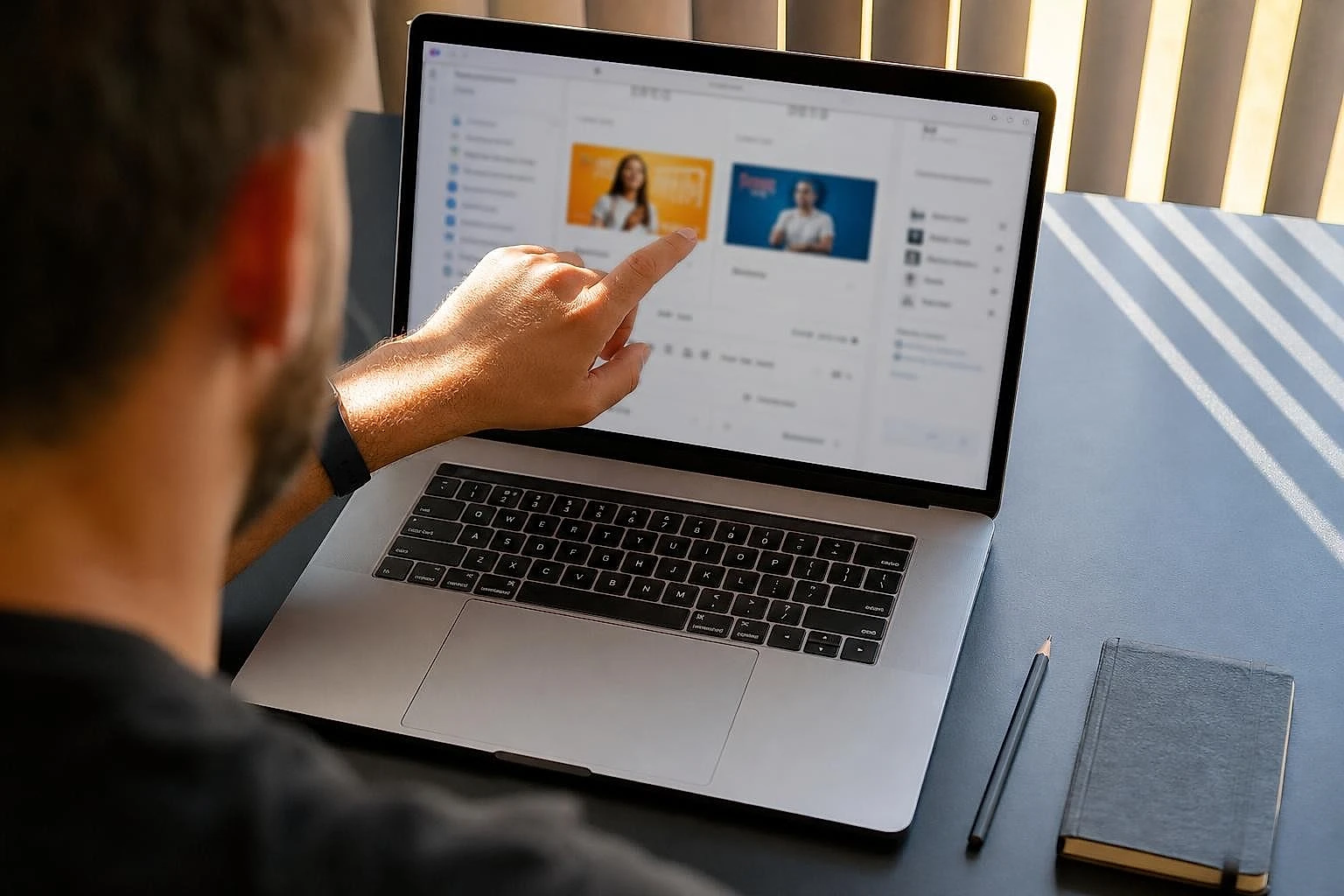
For a small business owner or a freelancer running their own campaigns, the value comes down to one word: speed. Before you write your ads, you can see in ten minutes which messages are running across three or four players in your market. You spot the promises they push, the formats they favor, the tone they use. You start from a page that is already partly filled in rather than a blank sheet.
The European Digital Services Act, the DSA, made this openness mandatory for very large platforms. Google responded with its public Transparency Center, which lists the ads running on Search, Display, YouTube, and Shopping. The European Commission details the obligations for these ad repositories in its DSA documentation. According to the Commission, these repositories must remain accessible for at least one year after an ad last ran.
This accessibility meets a real need among small French businesses. According to Bpifrance Le Lab, a majority of SMB owners say they lack reference points to guide their digital investments. A free tool for reading the market fills part of that gap.
What you can see and what stays hidden
You can see the active creatives: Search ad copy, Display visuals, YouTube thumbnails, the region where they run, the active period. You cannot see the budget, the targeted keywords, the click-through rate, or the cost per conversion. It is a snapshot of the messaging, not a performance report.
This distinction changes everything about how you read the tool. An ad that has been visible for eight weeks tells you the competitor is keeping it. It does not tell you how much it earns them or what it costs. Keeping this nuance in mind avoids the worst mistake in ad monitoring. Copying a message while thinking you are copying a result leads nowhere.
Transparency Center vs asset library: don't mix them up
Two radically different things, and the confusion costs many beginners time. The Transparency Center shows the public ads of any advertiser. The asset library, on the other hand, is a private space inside your own Google Ads account. It is where you store images, logos, and text to reuse in your Performance Max and Demand Gen campaigns.
One looks outward, the other inward. I always start by stating this distinction out loud when I set up monitoring with a beginner. Looking for your competitors in your account's asset library is a common dead end. Google explains how the internal asset library works in its official help.
Keep one practical rule in mind: if the screen asks you to log in, you are in your own account, which is the wrong tool for scouting a competitor.
Transparency Center vs asset library: don't mix them up
| Feature | Transparency Center | Asset library |
|---|---|---|
| Access | Public, no account | Private, inside your Ads account |
| Content | Other advertisers' ads | Your own images and text |
| Use | Competitive monitoring | Feeding your campaigns |
| Cost | Free | Included in Google Ads |
| Performance data | None | None (storage only) |
Accessing the Transparency Center and finding a competitor's ads
Access requires no Google Ads account, no credit card, no install. A web address and the advertiser's name are enough. It is the most underused entry point for monitoring in a small business.
- Open adstransparency.google.comThe public entry point, accessible with no Google Ads account at all.
- Type the company nameEnter the exact brand name in the search bar.
- Select the verified advertiserCheck the associated country and domain, since several brands can look alike.
- Browse the ad gridYou land on all the active creatives from that advertiser.
- Filter to make it usableIsolate France, then filter by format and by active period.
Head to adstransparency.google.com. Type the company name in the search bar. Google offers a list of verified advertisers. Select the right one by checking the associated country and domain, since several brands can share a similar name. You land on a grid of all the active ads from that advertiser.
One detail matters here. Only advertisers whose identity has been verified by Google appear with their full set of creatives. For sensitive-topic campaigns, such as politics, the level of detail is even higher. That is a legacy of election transparency obligations. For a standard business, you will see the regular commercial ads, which covers the vast majority of SMB competitive monitoring cases.
How do you search for a specific company's ads?
Type the exact brand name in the Transparency Center search bar, then select the verified advertiser matching your country. If the competitor runs few ads, you will only see a handful, or none at all. That simply means they are not investing on Google at that moment, not that the tool is broken.
I recommend starting with your two most aggressive competitors in acquisition, the ones whose ads you run into on your own queries. They feed the richest grid and learn the fastest.
Filtering by country, format, and active period
Filters turn a messy list into usable information. Isolate the ads running in France, then filter by format: text, image, or video. The period filter reveals which creatives have been running for a long time and which have just arrived.
This sorting by age is the most valuable. An ad that has been present for months is one the advertiser has chosen not to cut. In a system where Google optimizes continuously, a creative that survives for a long time has a strong chance of performing well. That is the number one signal of analyst-level reading, which I come back to in the next section. The geographic filter also serves your geographic targeting: if a competitor concentrates its ads in a few regions, you know where it sees its most promising market.
Reading a competitor's ad like an analyst
A competitor's ad reads through five signals: how long it has been running, the number of variants tested, the format, the core promise, and the call to action. This framework turns a visual observation into a usable hypothesis for your own campaigns.
How long an ad has been running is the most reliable signal you have without access to performance. Google's automated systems, whether Performance Max or Demand Gen, quickly cut creatives that do not deliver results. An ad kept for several weeks has therefore passed the algorithm's filter. It earns money, or at the very least it does not lose any. It is an inference, not a certainty. But it is the strongest inference the tool allows.
The number of variants tells the testing budget story. An advertiser running eight versions of the same message on a specific angle is investing to find the winning wording. If they concentrate everything on two or three stable creatives, they have probably already found their winners and are capitalizing on them. Watching this dynamic tells you far more about their advertising maturity than a simple ad count.
8 weeks
A creative kept running beyond two months has passed Google's automatic optimization filter. It is the most reliable signal of likely profitability available for free.
Source: Google Ads Transparency Center
How do you know if an ad is working for a competitor?
Rely on how long the ad has been running and how stable the message is. An ad running continuously for several weeks, especially if the competitor has stopped the variants around it, is very likely profitable for them. Conversely, an ad that appeared then disappeared within a few days has probably failed the test.
Be careful, though: don't confuse persistence with absolute performance. A large advertiser can keep a mediocre ad running out of budget inertia. Always cross-reference this signal with the rest of the grid before drawing a conclusion.
Decoding messages, promises, and calls to action
The core promise is what the competitor highlights to trigger the click: price, speed, guarantee, exclusivity. The call to action reveals the stage of the buying journey they are aiming at, the funnel. A "Request a quote" does not play the same role as a "Buy now."
By reading a dozen ads from the same industry, you spot the common denominator of the messaging. If three competitors out of four stress free shipping, it is no accident. It is a lever that converts in your market. You then know where to align, or which differentiating angle no one occupies yet. This cross-reading feeds directly into your competitor analysis, the cornerstone of any serious media plan.
- Time running Measure how long the ad has been running. Beyond six to eight weeks, treat it as profitable by default.
- Number of variants Count the active versions on a single angle. Many variants signal a testing phase and a sizable budget.
- Dominant format Note whether the competitor bets on Search text, Display image, or YouTube video. The format reveals their goal and their audience.
- Core promise Identify the repeated argument: price, speed, guarantee, social proof. It is the conversion lever they have validated.
- Call to action Spot the button verb. It indicates the funnel stage targeted and the level of commitment expected from the prospect.
And what about your own site?
The analysis measures speed, technical SEO and Core Web Vitals, then gives you 3 concrete recommendations. Free, no account needed.
Combining the Google Ads Library and Meta Ad Library for a full view
The Google Ads Library and the Meta Ad Library complement each other. Google covers active search intent, Meta covers discovery on Facebook and Instagram. A serious competitor often works both channels. Looking at only one tool gives you half the picture.
The Meta Ad Library is more generous than its Google equivalent on one key point. It shows the social ads of any advertiser, with their start date and the full creative. For political ads, it adds spending ranges and audience data. For regular commercial ads, you mostly get the visuals and the copy, which is still very useful for decoding a positioning.
This dual channel has become a must. According to the annual e-commerce report from Fevad, the French online retail federation, online sales keep growing in France year after year, driven by the combination of SEO, Search, and social. Ignoring either monitoring front means reading this market poorly.
I start with Google when the market rests on intent-based search, like local services or B2B. I start with Meta when the sector thrives on impulse buying and visuals, like fashion or home decor. This dominant-channel logic lines up with what you see when working on the SEO of an e-commerce store. The nature of the product dictates the channel, and the channel dictates the monitoring tool.
What is the difference between the Google Ads Library and the Facebook Ads Library?
The difference comes down to channel and level of detail. The Google Ads Library shows Search, Display, YouTube, and Shopping ads, with no spending data for commercial ads. The Meta Ad Library shows Facebook and Instagram ads, with a launch date and, for political ads only, budget and audience ranges.
Both are free and need no account. Using them together gives a multi-channel read that neither provides alone.
What is the difference between the Google Ads Library and the Facebook Ads Library?
| Information | Google Ads Library | Meta Ad Library |
|---|---|---|
| Channels covered | Search, Display, YouTube, Shopping | Facebook, Instagram |
| Ad copy | ✓ | ✓ |
| Visuals and videos | ✓ | ✓ |
| Start date | ✓ | ✓ |
| Budget range | ✗ (partial for political) | ✗ (political only) |
| Audience targeting | ✗ | ✗ (political only) |
| Account required | No | No |
The limits of the Google Ads Library nobody tells you about
The Google Ads Library reveals neither a competitor's budget, nor their keywords, nor their conversion rate. Presenting it as a full spying tool leads to a costly mistake. Copying ads without understanding what makes them profitable produces nothing.
The common view is that this tool gives you "your competitors' strategy." That is false. It gives you their messaging, which is very different from a strategy. An advertising strategy is targeting, budget allocated per campaign, a bidding structure, a conversion funnel, and optimized landing pages. The Library shows none of these elements. It shows the storefront, never the back office.
The most concrete trap is simple. You spot a persistent ad at a competitor, you copy it almost word for word, and it does not convert. Why? Because its effectiveness may have depended on a polished landing page, an already well-known brand, or invisible targeting. The message is only one link in the chain. Isolated from its context, it loses most of its value.
0
The number of real performance metrics available in the Google Ads Library: budget, cost per click, conversion rate, return on ad spend (ROAS, the revenue generated for every euro spent). The tool documents the creatives, not the results.
Source: Google Ads Transparency Center
Another rarely mentioned limit. The Library only shows the ads that are active at the moment you look. You cannot see the full history of stopped creatives, nor the order in which they were tested. You capture a snapshot, not a film. To reconstruct a trajectory, you have to check regularly and archive it yourself, which leads straight to structured monitoring. The quality of this observed data is also regulated. The CNIL reminds us that using public information for monitoring purposes must respect the principles of fairness and proportionality.
Why the Library doesn't replace real competitive monitoring
Because serious competitive monitoring connects the messages you observe to performance data, yours. The Library generates angle hypotheses. Only your own campaigns, measured in Google Ads and GA4, tell you whether those angles work for your audience.
Used on its own, the Library produces inspiration. Used as a system, cross-referenced with your results, it produces decisions. The difference lies in the method, not the tool.
Building data-driven competitive monitoring from the ads you spot
Effective monitoring rests on a simple sheet, updated every month. It documents, for 3 to 5 competitors, their dominant message, their format, the observed running time, and the record date. That is what turns a one-off check into a usable data series.

The monthly rhythm is the right setting for a small business. More often and you drown in the noise of transient tests. Less often and you miss seasonal shifts, like competitors switching to promotional mode before the holidays. France Num, the public program supporting SMBs with digital transformation, reminds us in its guides on online presence that light but regular monitoring always beats intense monitoring abandoned after a month.
The sheet should fit on one page. I deliberately limit the columns. Beyond six, no one keeps filling it in over time. The goal is not exhaustiveness, it is consistency. An imperfect record done every month is worth a thousand times more than a perfect audit done once.
How to organize monthly competitor tracking
Block half an hour on the same day each month. Open the Transparency Center and the Meta Ad Library. Fill in one row per competitor in your sheet: dominant message, main format, how long the most stable creative has been running, and the record date.
In three to four months, the trends jump out at you. You see which angles a competitor is dropping, which they are reinforcing, and when they ramp up. These shifts, not the isolated records, are what guide your decisions.
Turning observations into budget decisions
An observation becomes a decision when it answers a concrete question about your own budget. If two competitors launch persistent video campaigns while you have none, the question is no longer "what are they doing?" but "should I test video, and with what share of budget?"
This is where monitoring meets your numbers. Comparing your traffic sources and your cost per channel with what you observe at competitors sharpens your trade-offs. This cross-referencing between external signals and internal data takes an hour a month done by hand, or runs continuously if you centralize your campaign tracking. For reading cost per channel, the article on the customer acquisition cost benchmark gives the ballpark figures by industry. Data published by Statista on digital ad spending confirms the growing weight of Search and social in advertiser budgets.
Turning observations into budget decisions
| Monitoring sheet column | What it captures | Update frequency |
|---|---|---|
| Competitor | Name of the tracked advertiser | Fixed |
| Dominant message | Core promise observed | Monthly |
| Main format | Text, image, or video | Monthly |
| Stable creative duration | Age of the winning message | Monthly |
| Channel (Google / Meta) | Delivery platform | Monthly |
| Record date | Day of the check | Monthly |
Turning your observations into investment decisions
You know how to spot your competitors' angles and archive them cleanly each month. The real work begins when these observations meet your own numbers. A persistent competitor ad only has value for you if it informs a decision: testing a new angle, reallocating a budget, dropping a format that is not catching on.
- Competitor angle spottedA persistent ad observed in the Transparency Center.matched with
- Your Google Ads and GA4 numbersWhat your own campaigns actually measure.informs
- Investment decisionTest an angle, reallocate a budget, drop a format.
This dialogue between what others do and what your campaigns measure in Google Ads and GA4 is the heart of steering. Bringing these two sources together each month takes time. That is exactly the time Lysible consolidates in one place, so that monitoring serves decisions and not just observation. You move from one-off monitoring to continuous steering, without piling up spreadsheets or tabs.
Move from monitoring to decisions with centralized tracking
Watching your competitors is useless if the signals stay scattered. Lysible brings your Google Ads data, your cost per channel, and your monitoring records together in one place, to turn every observation into a budget trade-off. Request a demo and win back the monthly hour you spend piecing your spreadsheets together.
Frequently asked questions
What is the Google Ads Library and what is it for?
The Google Ads Library, accessed through the Google Ads Transparency Center, is a free public registry of the active ads an advertiser runs across Google's platforms: Search, Display, YouTube, and Shopping. It lets you observe your competitors' messaging, formats, and running times before you design your own campaigns. You spot the angles they find profitable enough to keep running. It does not, however, show the budget, the keywords, or the performance. It is an observatory of ad creatives, not a results report.
How do you see a competitor's Google ads for free?
Go to adstransparency.google.com, type the company name in the search bar, then select the verified advertiser matching your country. You then get access to all of their active ads. Use the filters to isolate the country, the ad format, and the active period. No Google Ads account is required, and no credit card either. If a competitor shows no ads, that simply means they are not investing on Google at that exact moment, not that the tool is down.
What is the difference between the Google Ads Library and the Facebook Ads Library?
The Google Ads Library covers Search, Display, YouTube, and Shopping ads, with no spending data for commercial campaigns. The Meta Ad Library (Facebook Ads Library) covers Facebook and Instagram, with each ad's launch date and, for political ads only, budget and audience ranges. Both are free and need no account. Cross-referencing them gives a multi-channel view: Google captures search intent, Meta captures social discovery. A serious competitor often works both, so looking at only one tool deprives you of half the information.
Is the Google Ads Library free and do you need an account?
Yes, the Google Ads Library is entirely free and requires no Google Ads account. You access the Transparency Center directly from a browser, with no sign-up or credit card. This openness stems from the transparency obligations imposed by the European Digital Services Act. Be careful not to confuse this public tool with the internal asset library of your own Google Ads account, which is used only to store your images and text for your campaigns. One looks at your competitors, the other feeds your ads.
How do you know if a competitor's ad is profitable?
The most reliable signal is how long the ad has been running. An ad kept running continuously for six to eight weeks has passed Google's automatic optimization filter, which quickly cuts non-performing creatives. It is therefore probably profitable for the advertiser. Cross-reference this signal with the stability of the message and the number of variants: a competitor that has stopped testing to concentrate its budget on two or three creatives has likely found its winners. Keep some caution, though, as a large advertiser can keep a mediocre ad running out of simple budget inertia.
Can you see a competitor's budget or keywords?
No, the Google Ads Library reveals neither the advertising budget, nor the targeted keywords, nor any performance metric such as cost per click or conversion rate. For standard commercial ads, it only shows the creatives, their delivery region, and their active period. Spending ranges exist only for political ads, which are subject to reinforced transparency obligations. Reconstructing a competitor's full strategy with the Transparency Center alone is therefore impossible, and believing you can often leads to copying a message without understanding what made it profitable.
Google Ads Transparency Center and asset library, what's the difference?
The Transparency Center is a public tool that shows the ads of any advertiser, for competitive monitoring. The asset library is a private space, inside your own Google Ads account, where you store your images, logos, videos, and text to reuse in your Performance Max and Demand Gen campaigns. One is for observing the outside, the other for organizing your own creative resources. Looking for your competitors in the asset library is a common dead end for beginners, since that space only contains your own elements.
How do you use competitor ads to improve your own campaigns?
First, spot the persistent messages and recurring promises in your industry through the Transparency Center and the Meta Ad Library. Identify the angles several competitors keep running, a sign they convert in your market. Then test your own variants inspired by those angles, without copying them exactly, and measure the result in Google Ads and GA4. The key is to turn observation into a hypothesis, then the hypothesis into a measured test. An angle that works for a competitor will only work for you if your landing page and your targeting follow. Monitoring points the way, your data decides.

Isaac SIKORSKI
With Lysible, I want to give businesses back control of their online presence. A website you actually understand is one that brings in real opportunities.

