E-commerce SEO Audit: 7 Steps You Can Run Yourself
An e-commerce SEO audit can be run yourself in 7 steps, using three free tools: Google Analytics 4, Search Console, and Lighthouse. You check the indexing of your product and category pages, get faceted navigation and duplicates under control, measure mobile speed, then isolate the pages that actually sell. An outside SEO service costs €500-2,500/month, but a first diagnosis doesn't need any budget at all. The real lever isn't traffic volume: it's the 20% of product and category pages that generate 80% of revenue.

The essentials
- An e-commerce SEO service costs €500-2,500/month on average, while GA4, Search Console, and Lighthouse data are free and enough for a first audit.
- The three e-commerce specific traps are unmanaged faceted navigation, duplicate product pages, and out-of-stock product pages left indexed.
- An LCP above 2.5 seconds on mobile drags down both rankings and conversion rate. It's the first technical item to measure.
- Organic traffic should be judged on the category and product pages that convert, not on overall volume. Cross-referencing Search Console with GA4 isolates the 20% of pages that drive 80% of sales.
Contents
- Before you start: what to connect and check
- Step 1, Check the indexing of your product and category pages
- Step 2, Get faceted navigation and duplicate content under control
- Step 3, Measure mobile speed and Core Web Vitals
- Step 4, Analyze the organic traffic that actually converts
- Step 5, Audit category content and internal linking
- Step 6, Prioritize fixes with an impact/effort matrix
- Mistakes to avoid, and should you outsource your audit?
- Frequently asked questions
Before you start: what to connect and check
Three free tools cover 90% of a serious e-commerce SEO audit: Google Search Console, Google Analytics 4, and Google Lighthouse. You don't need a €99/month license to get started.
Each one answers a specific question. Search Console tells you what Google sees and shows of your store. GA4 tells you what your visitors do once they arrive. Lighthouse measures the speed and stability of your pages. Cross-referencing all three gives you the full picture. When I open up an SMB's e-commerce account, the habit that's almost always missing is exactly that cross-referencing: everyone checks their own tool in isolation, and no one connects a page's invisibility to its lost sales.
Which free tools are enough to audit your store?
Search Console, GA4, and Lighthouse are enough for a first complete audit, without spending a cent. Add Screaming Frog (free version, up to 500 URLs) to map your internal links, and PageSpeed Insights for a second opinion on mobile performance.
Here's how to split the work between them.
| Tool | What it measures | What it gives you |
|---|---|---|
| Search Console | Indexing, queries, clicks, positions | See what Google shows of your listings |
| Google Analytics 4 | Behavior, conversions, revenue | Know which pages generate sales |
| Lighthouse | Speed, Core Web Vitals, accessibility | Spot the slowdowns that drive people away |
| Screaming Frog (free) | Structure, internal links, duplicates | Map your internal linking |
| PageSpeed Insights | Real-world mobile performance | Confirm the actual speed impact |
What data to gather before diving into the audit
Before you dig in, write down three baseline numbers: your indexed page count, your 90-day organic traffic, and your average conversion rate. These become your comparison points. Without them, you'll never know whether your fixes actually moved the needle.
Also take the time to check that GA4 is tracking cleanly. A duplicate tag or an internal IP that isn't excluded skews your whole diagnosis. If you're new to the tool, our method for getting a handle on GA4 without being an analyst will save you an afternoon. Clean data first, analysis second.
Step 1, Check the indexing of your product and category pages
A product page that isn't indexed doesn't exist for Google. It can't generate a click or a sale. The "Page indexing" report in Search Console tells you exactly how many of your URLs are indexed, and how many are excluded.
Open that report. Compare the number of indexed pages to your actual catalog. A big gap is warning sign number one. I've seen an SMB with 1,800 products that had only 600 pages indexed: two thirds of its catalog was invisible on Google. The cause? A mismanaged pagination setting, fixed in two days, with a measurable traffic recovery over the next six weeks.
Pay close attention to the exclusion reasons. "Discovered, currently not indexed" often signals a quality or crawl budget problem. "Crawled, currently not indexed" means Google saw the page but judged it too weak. The official Google Search Central documentation on indexing breaks down every reason in detail.
How do you know if Google sees all your product pages?
Compare your XML sitemap to the Search Console indexing report. The sitemap declares your pages; the report tells you which ones Google actually kept. The gap between the two is your top priority, not a detail to handle later.
Check that your sitemap is current and submitted in Search Console. On Shopify, it's generated automatically at /sitemap.xml. On WooCommerce, a plugin like Yoast or Rank Math handles it. A sitemap that lists deleted products or misses new ones muddies Google's priorities. For a finer diagnosis of indexing blockers, our guide to fixing unindexed pages walks through the six usual causes.
Spot orphan pages and indexed out-of-stock products
Orphan pages (with no internal links pointing to them) and out-of-stock products left indexed are two classic e-commerce leaks. Google wastes its crawl budget on URLs with no commercial value while your real product pages wait their turn.
Screaming Frog surfaces orphan pages by cross-referencing your crawl with your sitemap. For out-of-stock products, the decision is strategic. An item that's temporarily out should stay online, with a restock date if you have one. A product that's gone for good should redirect to its parent category (a 301) or return a 410. Leaving dozens of permanently discontinued listings indexed dilutes your store's perceived quality in Google's eyes.
Step 2, Get faceted navigation and duplicate content under control
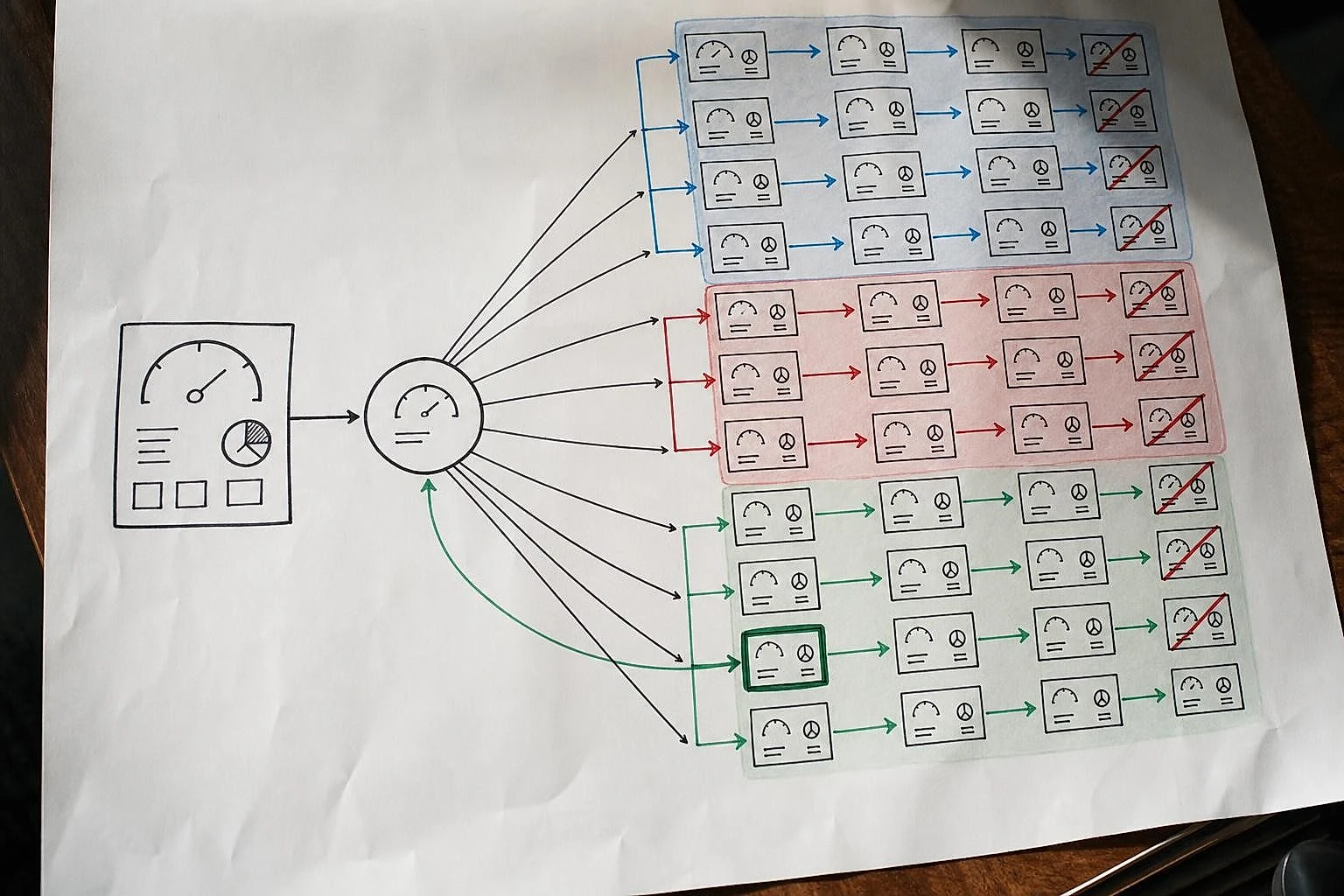
Faceted navigation (color, size, price, and brand filters) generates thousands of near-identical URLs that drown your crawl budget. It's the number one cause of wasted crawling on an online store, and most generic SEO guides barely touch on it.
Why filters and facets weigh down a store's SEO
Every filter combination creates a distinct URL as far as Google is concerned. A category with 5 filters and 4 options each can generate over 600 variants of the same page. Google crawls those variants instead of your actual product pages. That's crawl budget burned on nothing.
The principle is simple: decide which filtered pages have real SEO value, and block the rest. A page for "women's running shoes" deserves to be indexed, because people search for it. A page for "women's running shoes, size 7, red, under $50" adds nothing. Nobody types that query. Block it with a robots noindex tag, or canonicalize it back to the parent page.
The canonical tag (the HTML signal that tells Google "this is the real version") is your best ally here. Google Search Central's recommendations on managing facets lay out the best practices. On the stores we work with, getting facets under control often frees up 30 to 50% of wasted crawl budget, redirected to the pages that matter.
Duplicate product pages: how to spot them
Duplicate content is rampant on stores that reuse supplier descriptions word for word. Two pages built on the same text cannibalize each other in search results, and neither one really performs.
Screaming Frog lists identical title tags and descriptions in a single crawl. Start by finding product descriptions copied straight from the manufacturer's catalog: you're sharing that text with ten other resellers, and Google has no way to know which one to favor. The fix isn't rewriting 2,000 listings at once. It's prioritizing the 50 products that carry the most revenue and giving them unique copy. The rest can follow in waves.
Step 3, Measure mobile speed and Core Web Vitals
An LCP above 2.5 seconds on mobile hurts both your rankings and your conversion rate. E-commerce traffic is mostly mobile, and a slow page loses buyers before the price even shows up. This is the first technical item to measure, before anything else.
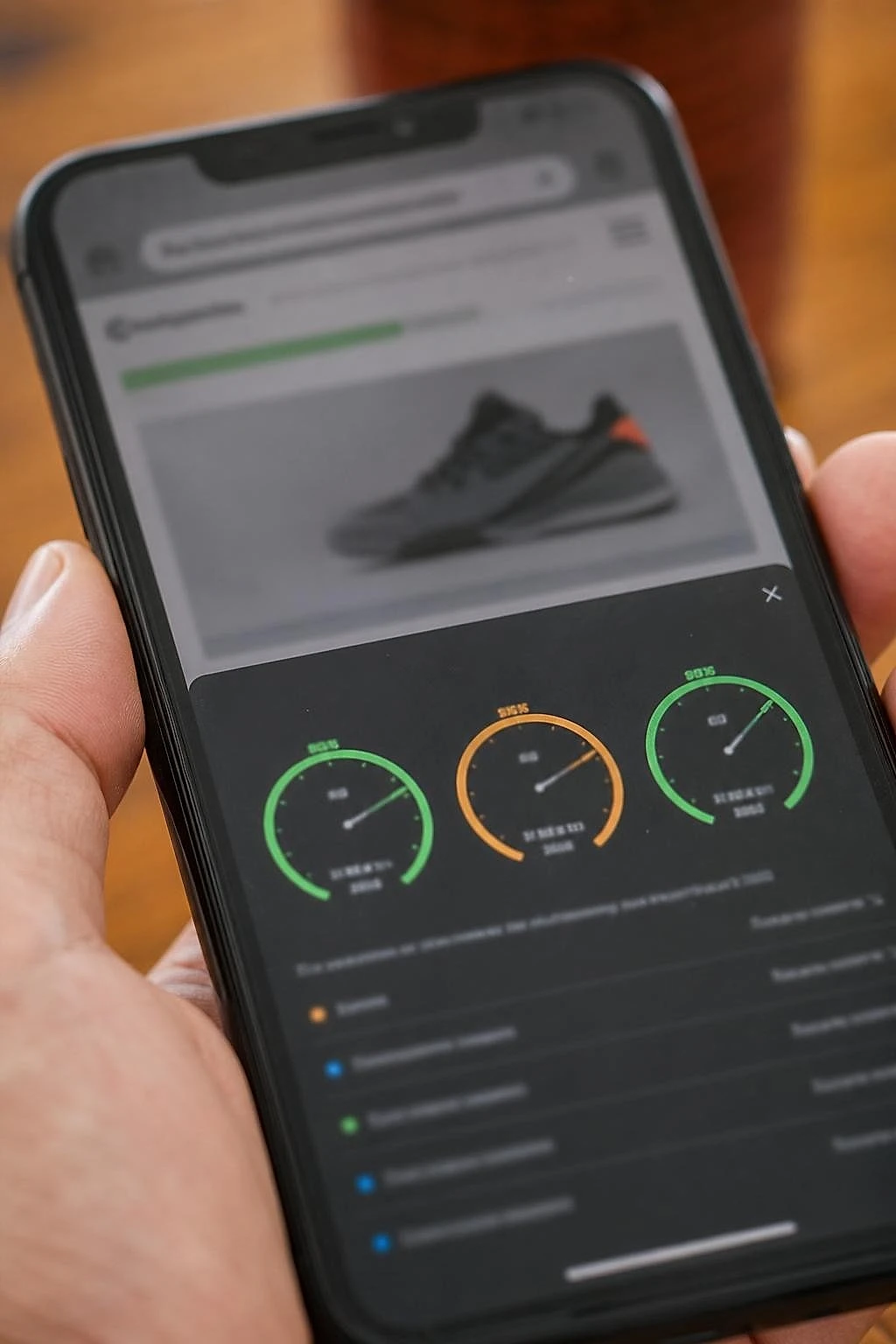
Core Web Vitals (the perceived-speed indicators Google uses to rank sites) come down to three measures. LCP (how long the main content area, usually your product image, takes to display) should stay under 2.5 seconds. INP (the delay between a click and the page's visible reaction) should stay under 200 milliseconds. CLS (the visual shifts as the page finishes loading) should stay under 0.1.
| Metric | Good | Needs improvement | Poor |
|---|---|---|---|
| LCP (main content display) | ≤ 2.5 s | 2.5-4 s | > 4 s |
| INP (click responsiveness) | ≤ 200 ms | 200-500 ms | > 500 ms |
| CLS (visual stability) | ≤ 0.1 | 0.1-0.25 | > 0.25 |
These thresholds are the ones published by web.dev on Core Web Vitals, Google's official reference. Lighthouse gives them to you page by page; PageSpeed Insights adds real-world data from actual visitors, which can sometimes change the diagnosis completely.
What load time should you aim for on an online store?
Aim for a mobile LCP under 2.5 seconds on your category pages and flagship product pages. These are the ones that get commercial traffic and convert. Every other page is a lower priority.
On a WooCommerce store with a mobile LCP stuck at 4.8 seconds (a case I handled last year), compressing product images and deferring script loading brought it down to 2.1 seconds. Mobile conversion rate climbed steadily over the following eight weeks, in a measurable and stable way. Uncompressed images and third-party scripts (chat, reviews, tracking) are the two most common culprits. If you want the full method, our step-by-step approach to optimizing Core Web Vitals breaks down every fix in priority order.
Step 4, Analyze the organic traffic that actually converts
Stop judging your SEO by overall traffic volume. Judge it by the category and product pages that generate sales. On a typical store, 20% of pages produce 80% of organic revenue. It's the angle most standard audits completely miss.
A traffic spike on a blog post that doesn't convert won't pay the bills. The real question isn't "how many organic visitors this month?" but "which organic pages convert, and which ones are underperforming despite their potential?" A small business owner doesn't need more visits. They need more sales.
How do you analyze a site's SEO with GA4 and Search Console?
Cross-reference Search Console (incoming traffic by query and page) with GA4 (conversions by landing page). The intersection reveals your top-performing pages and the ones with wasted potential.
Here's the concrete method: in Search Console, export the pages getting the most organic clicks. In GA4, open the "Landing page" report and cross-reference it with conversions. You end up with four distinct profiles. Pages that get traffic and convert: protect them, don't touch what's working. Pages that get traffic but don't convert: a UX or offer problem worth digging into. Pages that convert but get little traffic: this is where your best SEO opportunity lives, content already validated by sales that's simply short on visibility. Pages that do neither: candidates for deletion or a rewrite.
This cross-referencing takes a bit of discipline, but it completely reshapes your action priorities. To go further on reading both tools together, our method for analyzing web data to decide faster lays out the framework in seven steps.
Lysible cross-references these two sources continuously for your store, with no manual reconciliation at the end of every month.
Step 5, Audit category content and internal linking
Category pages are a store's most underused SEO asset. They target high-volume commercial queries, but often sit empty of content. A category with no text and no structure ranks poorly against competitors who've put in the work.
Category page content: too thin, or missing entirely?
An e-commerce category page deserves a unique 150 to 300 word intro that answers the buyer's real questions. Not a keyword-stuffed wall of text, but a genuine short, use-focused guide.
Look at your ten most strategic categories. How many have text above the product listing? How many have a well-crafted title tag and a meta description that makes people want to click? Most stores I audit leave their categories with a generic title and zero content. That's potential handed straight to competitors. A paragraph explaining what to choose, for what use, with the criteria that matter: Google loves it, and so does the buyer.
Internal linking between categories and products
Internal linking distributes SEO authority and guides Google toward your important pages. A product page with no incoming link is an invisible orphan, no matter how good its content is.
Check that every category links to its best products, and that every product page links back to its parent category and to complementary products. Screaming Frog visualizes your click depth: no commercial page should be more than three clicks from the homepage. Schema.org structured data (the code that helps Google understand your prices, ratings, and breadcrumbs) reinforces that readability. At a minimum, add the Product and Breadcrumb types to your listings and categories.
Step 6, Prioritize fixes with an impact/effort matrix
Faced with a list of 30 issues, an impact/effort matrix turns chaos into 5 priority actions. You rank each fix along two axes: its impact on sales and the effort it takes. Simple on paper, remarkably effective for a small business on a tight budget.

Which fixes should you tackle first when time is short?
Clear verdict: tackle the high impact, low effort fixes first. They pay off fastest and free up energy for what's next. Fixing the LCP on your three main categories always beats rewriting 500 product pages, in terms of return on effort.
Here's the matrix I use on Shopify and WooCommerce stores with 5 to 30 people.
| Impact / Effort | Low effort | High effort |
|---|---|---|
| High impact | Priority 1: do this week | Priority 2: schedule it |
| Low impact | Priority 3: if you have spare time | Priority 4: ignore it |
Priority 1 typically includes: fixing duplicate titles on top products, compressing images on flagship categories, blocking useless facets. Priority 2: rewriting category content, reworking internal linking. Priority 4, no shame in it: some theoretical optimizations bring a small business nothing at all. This same return-on-effort logic also structures our method for optimizing conversion rate, applicable to the same catalog of fixes.
Mistakes to avoid, and should you outsource your audit?
The costliest mistake isn't technical. It's wanting to fix everything at once, without measuring first. An audit with no baseline numbers never proves its return on investment, and you end up working blind.
Three traps keep coming back on the stores I work with. Fixing before measuring, so with no basis for comparison. Drowning in micro-optimizations with no real business impact. Forgetting to check your GA4 data before analysis: a misconfigured Consent Mode or a duplicate tag skews the whole diagnosis upstream. Measure, fix, remeasure. It's the only loop that holds up over time.
What does an e-commerce SEO audit typically cost?
A one-off e-commerce SEO audit costs between €800 and €4,000 depending on catalog size; ongoing monthly support runs €500-2,500/month. France Num, Bpifrance's digital support program, frames these issues well for small businesses in its guide to SEO audits.
For a store with fewer than 500 products, a first DIY audit with the three free tools covers the essentials. You're mostly paying with your time, not an invoice.
When a DIY audit hits its limits
A DIY audit hits its limits on large catalogs (over 2,000 SKUs), site migrations, or deep technical problems (architecture, JavaScript, server response time). That's where outside expertise clearly earns its keep.
The real tipping point: when the time you spend auditing outweighs what you'd produce elsewhere, or when the problem is beyond your technical reach. A €1,500/month service only makes sense if it generates at least that much in measurable extra sales. Always demand before/after KPIs: organic traffic on commercial pages, rankings, conversion rate. Without measurement, an SEO service stays an act of faith.
Turning your e-commerce SEO audit into an ongoing process with Lysible
A one-off audit reveals what's holding you back; ongoing monitoring keeps it from coming back. A store's SEO shifts constantly: new products, stockouts, Google updates, seasons. Redoing the audit by hand every month is the surest way to never actually redo it.
The point of a tool like Lysible is to centralize Search Console, GA4, and Lighthouse in one place, with data already cross-referenced and readable for a non-technical owner. You track your converting pages, your indexing, and your mobile speed in a single dashboard, with no juggling between three interfaces and no need to rely on an outside provider to understand what's happening on your store.
Frequently asked questions
What is an e-commerce SEO audit?
It's the methodical review of an online store to spot what's blocking its visibility on Google and its sales. It covers four areas: technical (speed, indexing, structure), content (product and category pages), mobile experience, and traffic that converts. On a store, the audit focuses on specifics that a regular site doesn't have: faceted navigation, duplicate product pages, indexed out-of-stock products. The end goal is never traffic for its own sake, but identifying underused commercial pages and the blockers to clear first to sell more.
How do you analyze an e-commerce site's SEO yourself?
You connect three free tools: Google Search Console for indexing and queries, Google Analytics 4 for conversions, Lighthouse for speed. You follow seven steps: check indexing, get facets and duplicates under control, measure mobile Core Web Vitals, cross-reference traffic and sales, audit category content, prioritize with an impact/effort matrix, then remeasure. Write down three baseline numbers before you start (indexed pages, organic traffic, conversion rate). Without a starting point, you'll never be able to prove the effect of your fixes.
What free tools can you use to audit an online store?
Search Console, GA4, and Lighthouse form the core trio, all free and from Google. Add Screaming Frog's free version (up to 500 URLs) to map your internal links and spot orphan pages, plus PageSpeed Insights for a second opinion on real-world mobile performance. These five tools cover the essentials of a first serious audit. No paid subscription is needed to diagnose a store with fewer than 500 products. The investment is your time and a bit of discipline in cross-referencing the data.
How do you know if Google is indexing all your product pages?
Open the "Page indexing" report in Search Console and compare the number of indexed pages to your actual catalog. A big gap signals a problem. Then cross-reference your XML sitemap (which declares your pages) with that report (which shows which ones Google actually kept). The exclusion reasons "Discovered, not indexed" and "Crawled, not indexed" often point to a quality or crawl budget issue. Also check that your sitemap is current, with no deleted products and no missing new ones, then resubmit it in Search Console.
What load time should you aim for on an online store?
Aim for an LCP (main content display time) under 2.5 seconds on mobile, on your category pages and flagship product pages. That's the "good" threshold defined by Google via web.dev. Add an INP (click responsiveness) under 200 milliseconds and a CLS (visual stability) under 0.1. Since e-commerce traffic is mostly mobile, a slow page loses buyers before the price even shows up. The two most common culprits are uncompressed images and third-party scripts (chat, reviews, tracking). Fix those first on your commercial pages.
Should you outsource your e-commerce SEO audit?
Not necessarily. For a store with fewer than 500 products, a first DIY audit with free tools covers the essentials: you only pay with your time. Outsourcing is worth it for large catalogs (over 2,000 SKUs), site migrations, or deep technical problems (architecture, JavaScript, server response time). Budget €500-2,500/month for ongoing support, or €800-4,000 for a one-off audit. The tipping point: when the problem is beyond your technical reach, or when your time is worth more elsewhere. Always demand before/after KPIs to measure the real return.

Isaac SIKORSKI
With Lysible, I want to give businesses back control of their online presence. A website you actually understand is one that brings in real opportunities.